~100 KB
Single exe
Harbor is a small, friendly antivirus for Windows. Signature scanning, heuristics, real-time protection and a safe quarantine — in a quiet little app with no ads, no popups and no "your PC is at risk!" scare tactics.
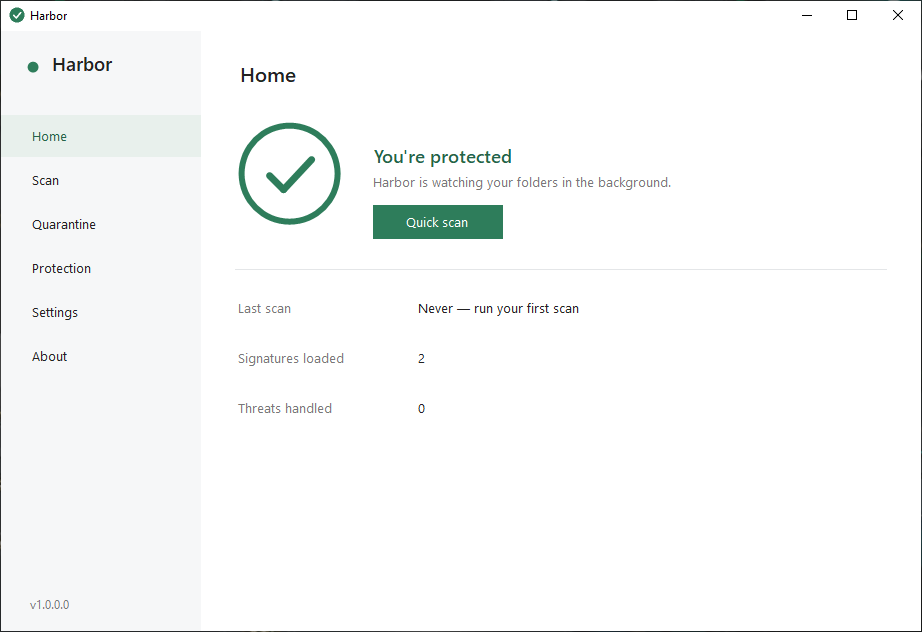
Not a toy, not bloatware. A focused scanner that does its job, tells you the truth, and stays out of your way.
Every file is hashed with SHA-256 and checked against a plain-text signature database. Update it with one click from Settings — no hidden downloads.
Catches common tricks without a signature — double extensions like invoice.pdf.exe, packed executables hiding in temp folders, hidden system files where they don't belong.
Watches the folders you choose — Downloads and Desktop by default — and scans new files the moment they appear. Known threats are quarantined automatically.
Flagged files are neutralized, never silently deleted. One click restores anything flagged by mistake — byte-for-byte identical. Your files, your call.
Scan the usual suspects in seconds, every drive when you're feeling thorough, or any single folder you pick. Cancel any time, exclude anything.
Exclusions, size limits, startup behavior, signature updates. One readable settings file in %AppData%\Harbor — delete it and Harbor forgets you.
Most free antivirus products are louder than the malware. Harbor takes the opposite approach.
| Harbor | Typical free antivirus | |
|---|---|---|
| Install size | ~100 KB | 500 MB+ |
| Ads & upsell popups | None, ever | Constant |
| "Your PC is at risk!" scare screens | Never | Daily |
| Telemetry & data collection | Zero — nothing leaves your PC | Extensive |
| Browser toolbars & "extras" | None | Bundled |
| Quarantine with honest restore | ✓ | Varies |
| Open source | ✓ MIT | ✗ |
| Price | Free, actually free | "Free" |
Grab the installer, or build it yourself from source — it compiles with tools already on every Windows PC.
No SDK, no Visual Studio — Harbor builds with the C# compiler that ships inside Windows.
Create a text file containing exactly this line and scan its folder. Harbor flags it as Harbor-Test-File (not a virus):
Honest note: Harbor is a lightweight companion scanner, not a replacement for Windows Defender — the two run happily side by side. A kernel-mode driver for deeper protection is on the roadmap.
Free, open source, and smaller than a photo. Your files stay yours, your PC stays quiet.